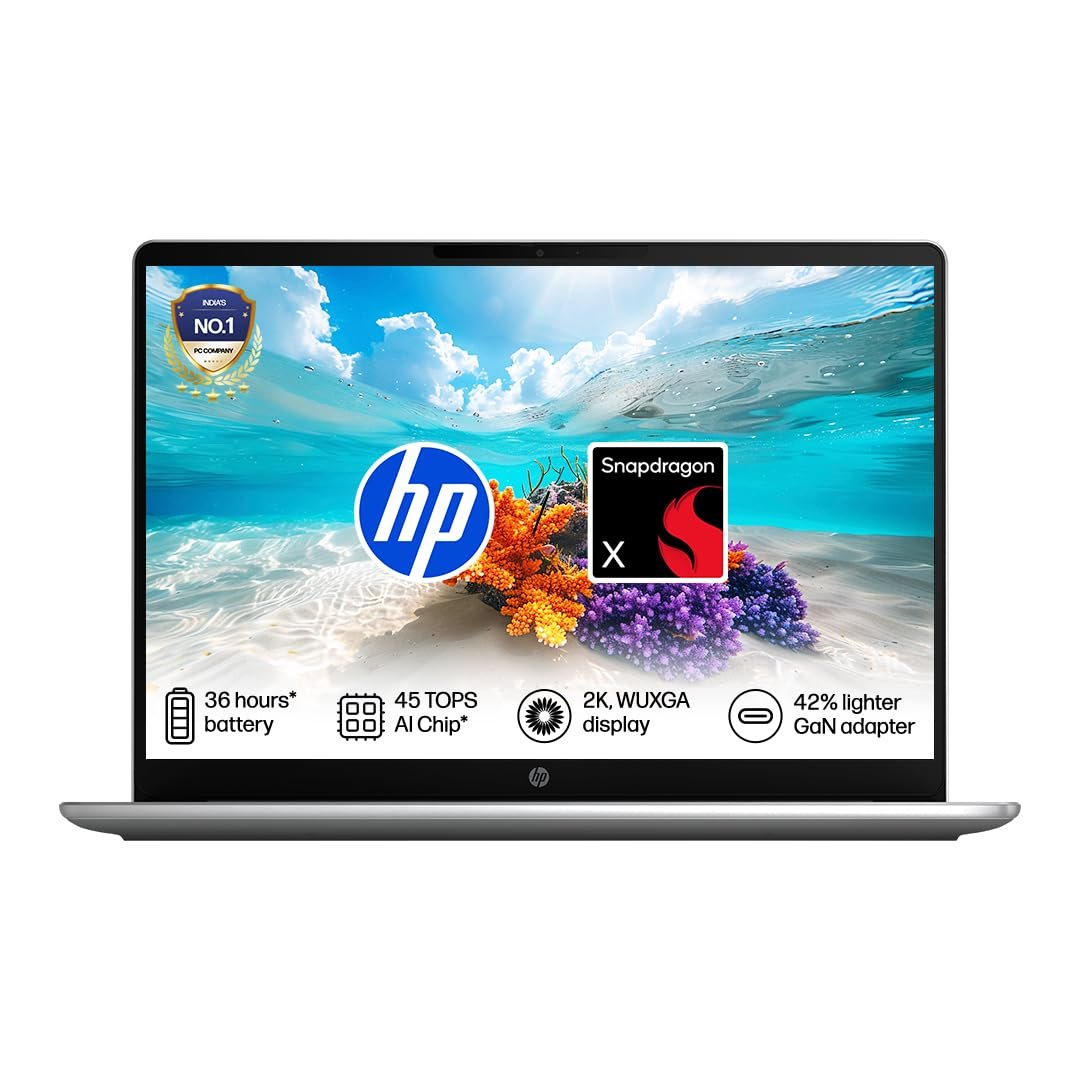

In today’s digital age, laptop has become not just a gadget for students but an important part of studies. Be it school students, college students or aspirants preparing for competitive exams, everyone needs a good laptop for online classes, preparing notes, creating projects, watching video lectures and internet research.
But with so many options available in the market, choosing the right laptop is not easy. In this article, we will tell you how to choose the best laptop for students, what features should be paid attention to and which laptops can prove to be better in different budgets.
Why is laptop important for students?
Today almost every educational work has become digital. Tasks like college assignments, online examinations, video conferencing, presentations, research and skill development become difficult without a laptop.
A good laptop helps students in the following tasks-
- attending online classes
- Use of MS Word, Excel and PowerPoint
- Reading PDFs and eBooks
- learning programming
- Basic study of graphic designing
- Basic video editing tasks
- internet research
- Online Examination and Form Filling
What things should be kept in mind while buying a laptop for students?
1. Processor
The speed of a laptop largely depends on its processor.
If your use is for general studies then the following options are better-
If you do programming, designing or video editing then Core i5 or Ryzen 5 would be a better choice.
2. RAM
In today’s time, one should buy a laptop with at least 8GB RAM.
- 8GB RAM – enough for normal students
- 16GB RAM – Better for engineering, programming and designing
3. Storage
Laptops with SSD storage are faster.
Better option-
- 512GB SSD
- 1TB SSD (if budget is high)
Compared to HDD, SSD laptop boots faster and applications also open faster.
4. Display
A good screen puts less strain on the eyes while studying.
Better option-
- 15.6 inch Full HD Display
- Anti-Glare Screen
- IPS panel
5. Battery Backup
There should be at least 6 to 8 hours of battery backup for students.
If you spend a lot of time in college or library, a backup of 8 to 10 hours would be even better.
6. Weight
If you have to carry a laptop with you daily, then buy a light laptop.
- A weight of 1.3 to 1.7 kg is considered ideal.
7. Operating System
Windows is the best choice for most students.
macOS is also a great option if you have a higher budget and use the Apple ecosystem.
According to Best Laptop Budget for Students
₹30,000 to ₹40,000
If your budget is limited then good laptops are available in this range.
Suitable features-
This is sufficient for online classes, MS Office and internet use.
This is considered to be the most popular budget.
In this range you can get-
- Intel Core i5
- AMD Ryzen 5
- 8GB RAM
- 512GB SSD
- Full HD Display
These laptops are good for studies as well as programming and multitasking.
This budget is suitable if you want to do engineering, designing, video editing or professional use.
Features-
- Core i5 or Core i7
- Ryzen 7
- 16GB RAM
- 512GB or 1TB SSD
Popular Laptop Brands for Students
Many companies in India provide best laptops for students.
Popular brands-
Laptops of these companies are known for better service network and good quality.
Is Gaming Laptop right for students?
If your aim is only to study then it is not necessary to buy a Gaming Laptop.
Gaming Laptop—
- Are expensive.
- Weight increases.
- Battery drains quickly.
However, if you are learning video editing, 3D designing or game development along with studies, then Gaming Laptop can be a good option.
Which laptop is better for engineering students?
Engineering students need a laptop that can easily run software like AutoCAD, MATLAB, Visual Studio, Android Studio.
Better specifications-
- Intel Core i5 or i7
- Ryzen 5 or Ryzen 7
- 16GB RAM
- 512GB SSD
- Dedicated Graphics (if required)
Which laptop to choose for medical and commerce students?
If your use is primarily for—
- read pdf
- MS Office
- internet research
- online class
- video lecture
If your budget is limited to Rs. 500, then a Core i3 or Ryzen 3 laptop with 8GB of RAM and 512GB SSD will suffice.
Are Chromebooks a good choice for students?
If most of your work is internet based, such as—
- Google Docs
- Google Classroom
- Web browsing
So Chromebook can also be a good option.
But if you want to run Windows Software then it would be better to buy Windows Laptop only.
Benefits of buying a laptop for students
- Online study is easy.
- Assignments can be completed on time.
- New skills can be learned.
- Helps in learning coding and programming.
- Freelancing can be started.
- It becomes easy to do online courses.
- There is better preparation for future career.
Common mistakes while buying a laptop
Many students buy laptops only after seeing the low price, which leads to problems later.
Avoid these mistakes-
- Buying a laptop with 4GB RAM.
- Prioritizing HDD storage.
- Buying an old generation processor.
- Buying a laptop without warranty.
- Making decisions just by looking at the design.
conclusion
If you are a student and want to buy a laptop for studies, online classes, internet research, projects and general multitasking, then it would be better to choose a laptop with at least 8GB RAM, 512GB SSD and Intel Core i3 (12th Gen or above) or AMD Ryzen 3/5 processor.
If your budget is higher and you use programming, video editing, graphic designing or engineering software, a laptop with Intel Core i5 or AMD Ryzen 5 with 16GB RAM will prove more useful for the future.
Choosing the right laptop should be done keeping in mind your budget, usage and future requirements. A laptop purchased after good research can play an important role in your studies and career for many years.
FAQs
1. How much RAM is the best laptop for students?
8GB RAM is sufficient for general studies, while 16GB RAM is better for programming, engineering and designing.
2. Should one buy a laptop with SSD?
Yes, laptops with SSD are faster, boot up faster and deliver better performance.
3. Which processor is best for students?
Intel Core i3 (12th Gen or newer), Intel Core i5, AMD Ryzen 3, and AMD Ryzen 5 are great choices for students.
4. Can I get a good laptop under ₹40,000?
Yes, there are many good laptops available in this budget with 8GB RAM, 512GB SSD, and Intel Core i3 or AMD Ryzen 3.
5. Should students buy Gaming Laptop?
If only for studies then a normal Windows laptop is sufficient. Gaming Laptop can be a better option for gaming, video editing or 3D designing.
6. What is the most important feature while buying a laptop?
Most attention should be paid to processor, RAM, SSD storage, battery backup and display quality.